![checkin-logo-1.svg]](https://www.checkinevent.com/hubfs/checkin-logo-1.svg)
Under “Settings” › “Organization structure,” you can create sub-units. This is useful if the organizer of your event has a different organization number, and you want to keep the finances separate. In this way you will get a separate settlements for the sub-units.
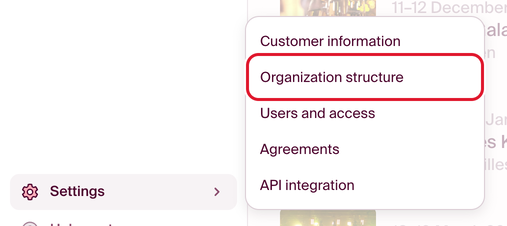
Go to “Settings” › “Organization structure” and click “Add.” Here, you enter the name or organization number you want to register for the new sub-unit. Remember that you have to fill in all the information under “Settings” › “Customer information” for the new account, as it is considered an independent account.
Note: You do not need to create a separate account for each event. You only need to create a new account if the organizer has a different organization number and the finances must be kept separate. If you want a clear overview in the settlement for each event, you can set up accounts, departments and projects under “Economy” › “Chart of accounts.” You can add multiple bank accounts for transfers under “Economy” › “Payout accounts.”
You can switch between all the organizations you have access to (or created) in the organization switcher at the top of the menu on the left.